
Open-Source React Component for Trino SQL: trino-monaco-sql-editor
Data Dynamics has released a React editor component on GitHub under the MIT License that offers Trino SQL auto-completion and help pop-ups for functions and keywords, and runs real queries through Node, Python or Java gateways.
Data Dynamics has released trino-monaco-sql-editor, a React web editor component for Trino SQL, on GitHub. It is built on Monaco Editor, the editor engine behind VS Code, and is licensed under the MIT License.
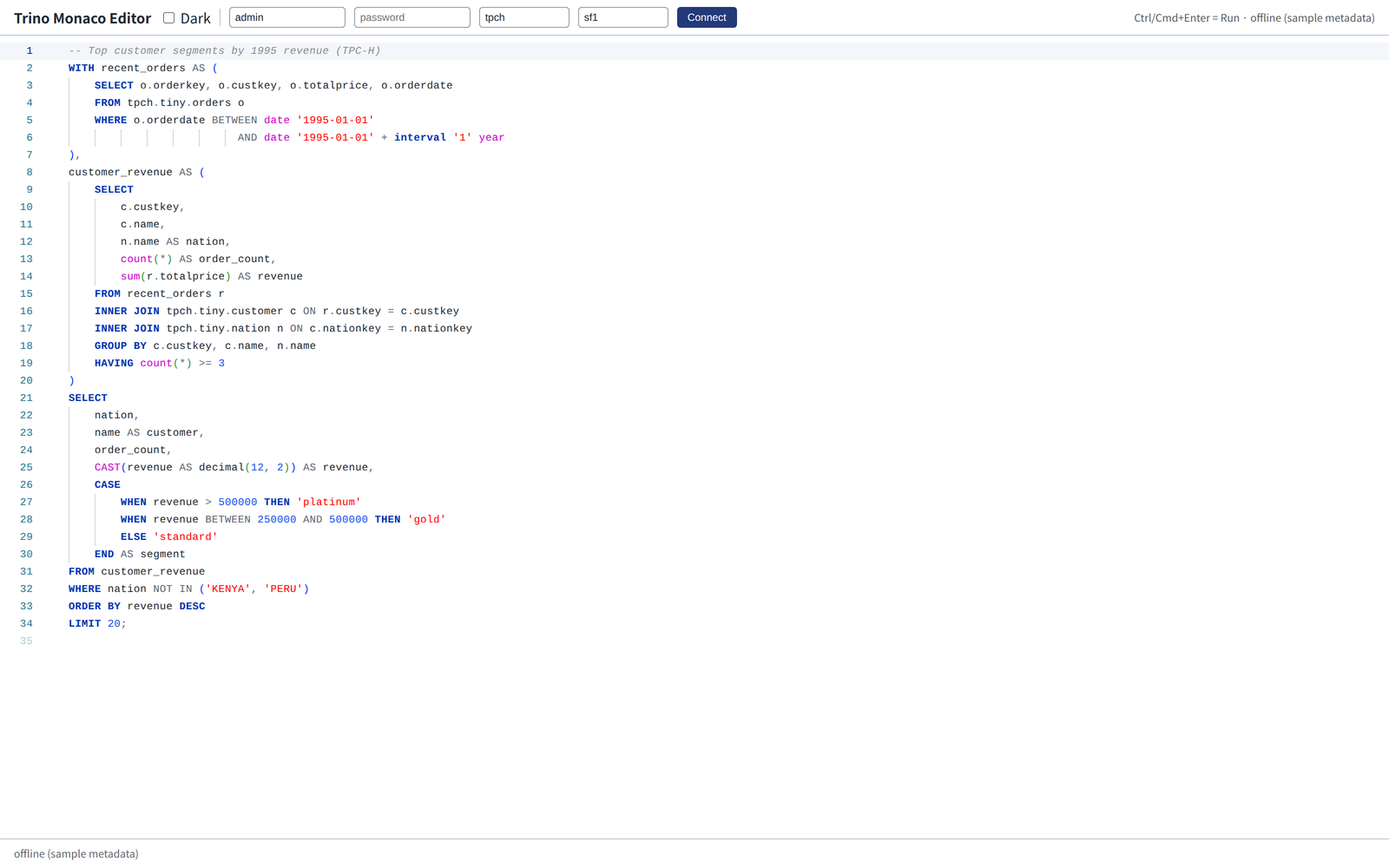
Teams that need a query editing and execution screen in an internal data portal or analytics tool on Trino or Starburst Enterprise can drop in a single component. We have also released an Oracle SQL and PL/SQL editor built on the same architecture. See the Trino Monaco SQL Editor page for a product overview.
Key features
Trino SQL editing
- Trino-specific highlighting and themes — distinguishes Trino keywords, functions, operators and types, with light and dark themes.
- Context-aware auto-completion — parses SQL with an ANTLR grammar in a Web Worker and suggests only what is valid at the cursor: tables after
FROM, columns afterSELECTandWHERE, and that table's columns after an alias such asa.. Parsing runs off the main thread, so typing stays smooth. - Syntax validation — marks syntax errors as you type. It covers major statements including
SELECT,WITHand set operations,INSERT,UPDATE,DELETE,MERGE,CREATE TABLE(including CTAS),ALTER TABLE,SHOWandEXPLAIN. - Live cluster metadata — uses
SHOW CATALOGS,SHOW SCHEMAS,SHOW TABLESandSHOW COLUMNSto bring the cluster's catalogs, schemas, tables and columns into completion. Results are cached for a set time and duplicate requests are merged. - Formatter —
Shift+Alt+Ftidies the SQL.
Help pop-ups for functions and keywords
- Hovering,
Shift+F1orCtrl/Cmd+Clickshows the syntax, description and examples for the item under the cursor, with a link to the matching page in the official Trino documentation. - It covers every Trino built-in function, about 70 statements, clauses and operators, and data types. Items that share a name, such as
count(*) FILTER (WHERE …)andfilter(array, …), get the description that fits the context. - Function completion items show the same help. UI text and help are available in English, Korean, Japanese and Chinese.
Running real queries with Node, Python or Java servers
Browsers cannot call Trino directly and should not hold credentials, so the repository includes three gateway servers with the same API and security model. Pick the one that fits your stack.
| Gateway | Stack |
|---|---|
| Node.js | Fastify |
| Python | FastAPI + httpx |
| Java | Spring Boot + java.net.http |
- Users log in once with their own Trino account, and the browser keeps only an httpOnly session cookie. They can choose among the clusters registered in the gateway.
- Each user keeps their own Trino session, so
USE,SET SESSION,PREPAREand transaction state carry over between statements. Ctrl/Cmd+Enterruns the query and shows results page by page; stopping a run also cancels the query on the server. Logging out cancels running queries and rolls back transactions.- Supports Basic (password) and Bearer (JWT) authentication for Trino and Starburst Enterprise.
Get involved
Installation, usage and gateway setup are covered in the repository README and design document. Anyone can report bugs, suggest features or open pull requests on GitHub.