
Trino Monaco SQL Editor
A Monaco-based React SQL editor component for Trino, delivering an IDE-grade editing experience with ANTLR grammar analysis and live cluster metadata.
Browser editing and Trino execution
Separate Monaco editing, worker-based grammar analysis, metadata lookup and query execution wired by the host application.
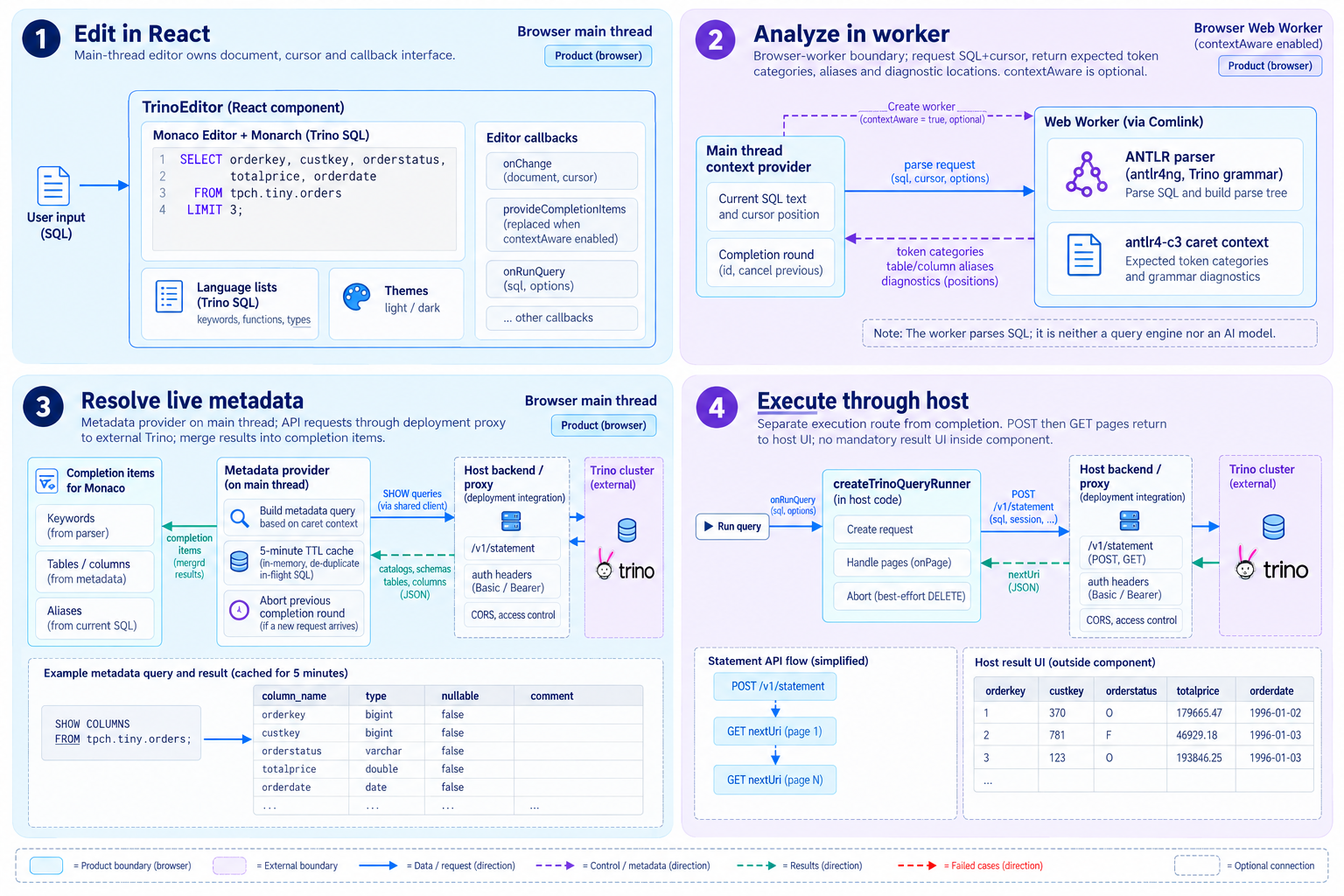
- 1.Edit SQL in React
- TrinoEditor registers the Trino language, keywords and themes with Monaco and Monarch, connecting the document, cursor and action callbacks.
- 2.Analyze in a worker
- With contextAware enabled, a Comlink Web Worker uses ANTLR and antlr4-c3 to analyze cursor context, aliases and grammar error locations.
- 3.Resolve live metadata
- The main-thread provider issues SHOW queries for catalogs, schemas, tables and columns. A five-minute default cache feeds metadata into completion candidates.
- 4.Execute through the host
- The runner wired to onRunQuery calls Trino’s statement API, then follows nextUri with GET requests. The host result UI displays returned data pages.
contextAware defaults to false. The host supplies production backend, authentication and result UI integration. The browser worker analyzes SQL; Trino executes queries.
View GitHub documentation and codeFrom completion to query results
Resolve column candidates for a typed alias, check grammar and retrieve result pages through an explicit run action.
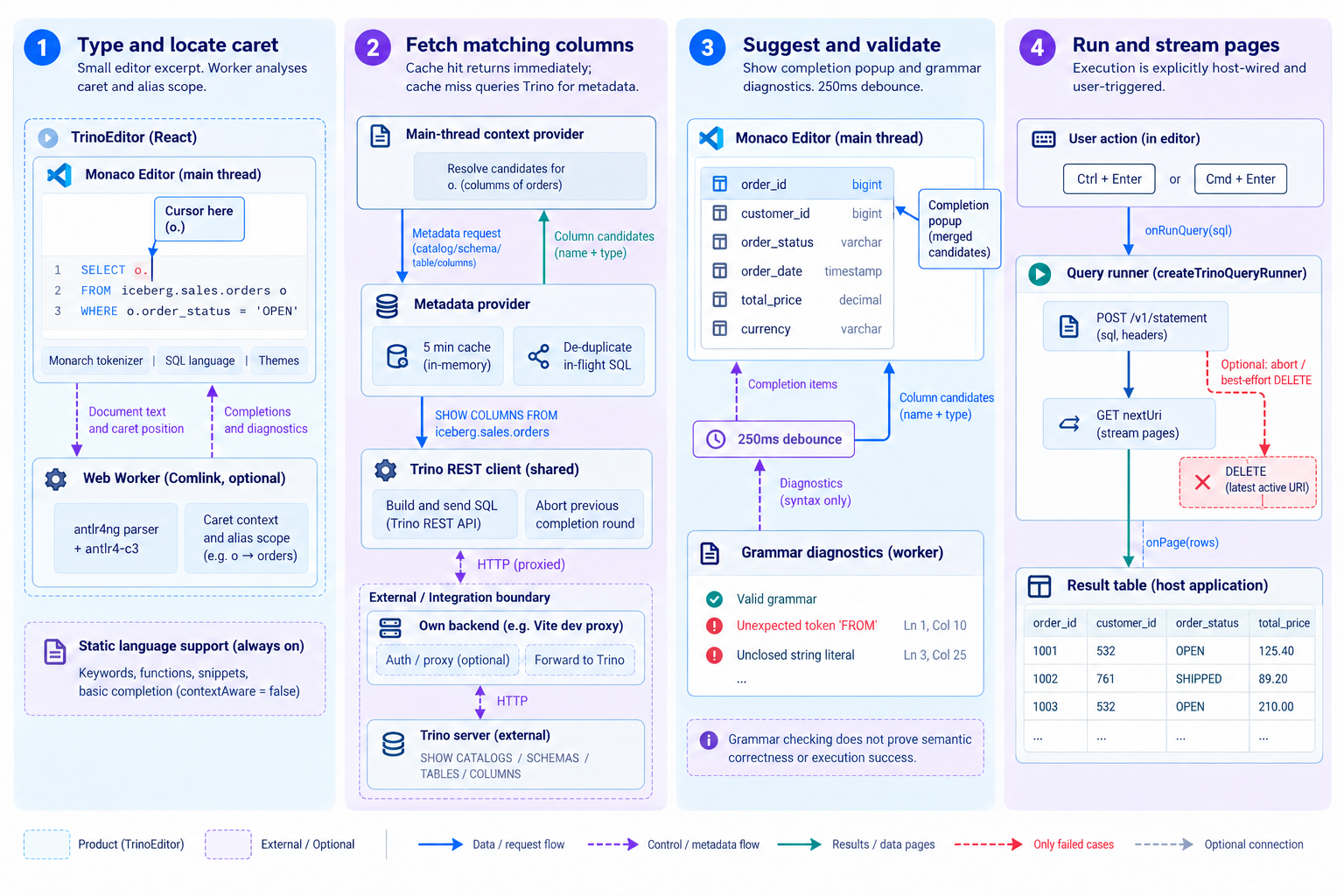
- 1.Read the cursor context
- For SQL such as SELECT o. FROM iceberg.sales.orders o, the worker identifies the column context at o. and resolves the alias to its table.
- 2.Fetch matching columns
- Reuse cached metadata or issue SHOW COLUMNS for the orders table’s column names and types, using the host’s proxy and authentication configuration.
- 3.Show suggestions and errors
- Monaco merges metadata with grammar-based candidates. Grammar validation uses a 250ms typing debounce and does not establish semantic validity or execution success.
- 4.Run and receive pages
- Ctrl/Cmd+Enter passes selected SQL or the whole document to the host. The runner uses POST and nextUri GET to receive results, with cancellation attempted on AbortSignal.
Metadata SHOW queries are separate from executing the user’s SQL. Run and Explain use host callbacks; cancellation attempts DELETE on the active query URI.
View GitHub documentation and codeEditor features and integration responsibilities
Use built-in editing tools, enable context analysis, then connect metadata and execution through your application.
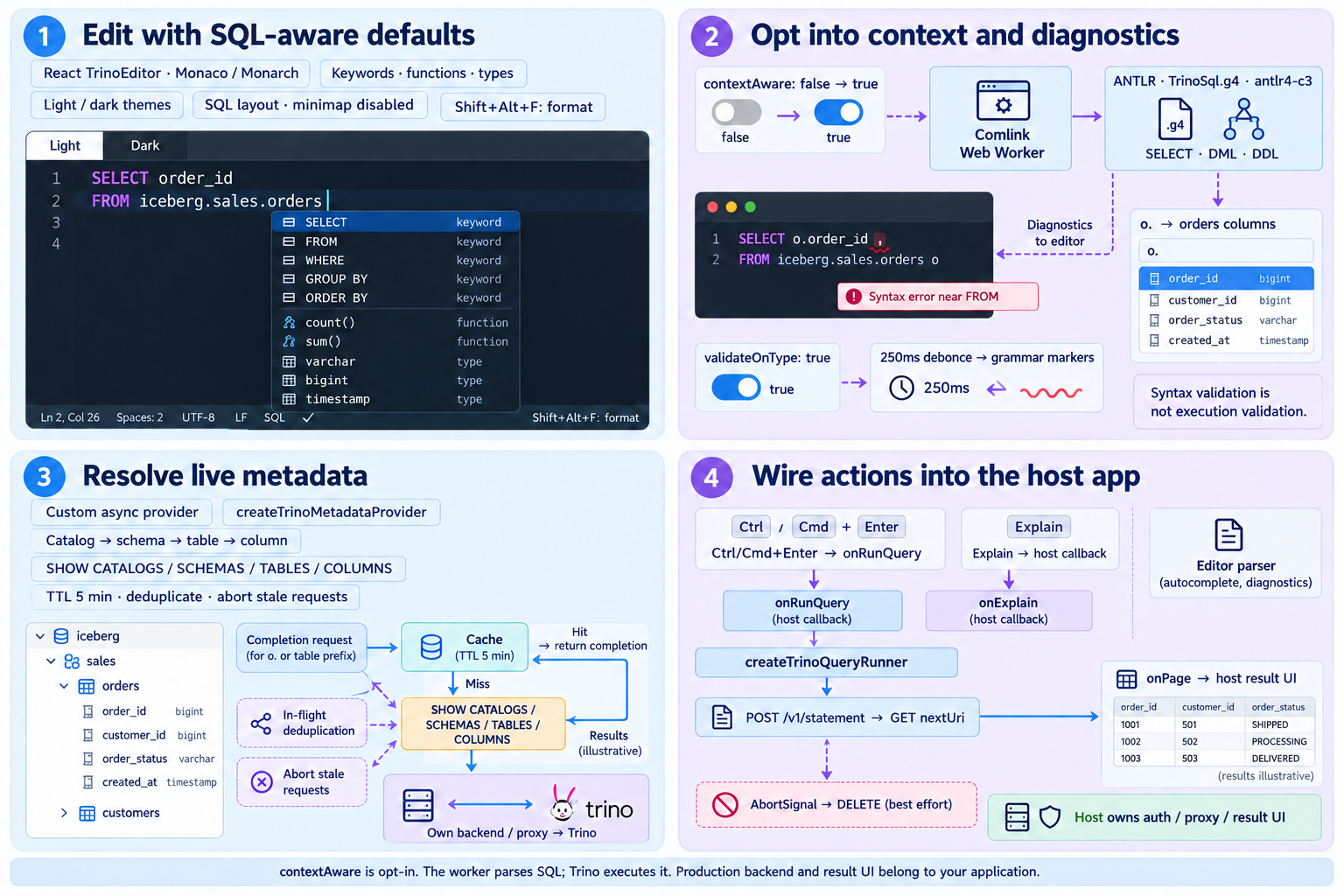
- 1.Editing defaults
- Use highlighting, completions, formatting and light/dark themes.
- 2.Language support
- Enable worker-based grammar analysis and contextual candidates.
- 3.Metadata
- Connect async providers and cached SHOW-query metadata.
- 4.Execution
- Wire Run and Explain callbacks and render results in the host app.
contextAware is opt-in. The worker parses SQL; Trino executes it. Production backend and result UI belong to your application.
View GitHub documentation and codeGet started on GitHub
An MIT-licensed React component — the demo and usage guide live in the repository.