
Argus RAG Studio
An open-source, self-hosted platform that covers the full RAG lifecycle — Build, Retrieve & Generate, Evaluate, and Operate & Deploy — in one place. Not a "works-once RAG demo": it ships with an evaluation harness that measures quality in numbers, config sweeps that auto-explore optimal settings, a feedback loop, and agent-based remote deployment, so it runs on-premises and in air-gapped (closed) networks.
01 · RAG concepts and the whole flow
Start with how RAG uses documents to support answers, then follow the path from preparation to operation.
What is RAG?
RAG retrieves documents relevant to a question and supplies them as context to the language model. Citations accompanying the answer help users check the supporting evidence.
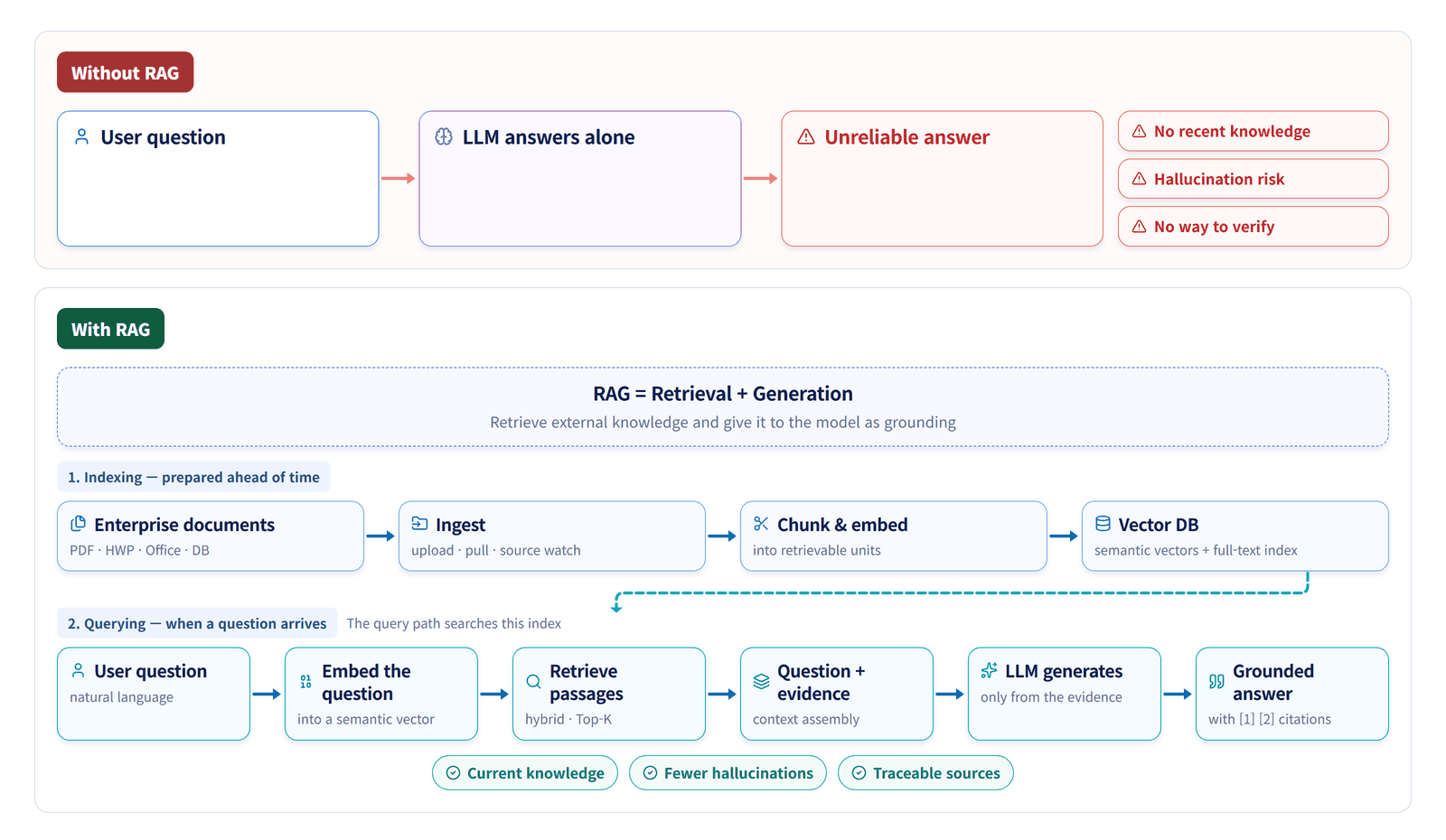
The RAG lifecycle
Prepare searchable knowledge from documents, retrieve evidence for each question and generate an answer. Use evaluations to improve settings, then manage runtime versions, service health and deployment.
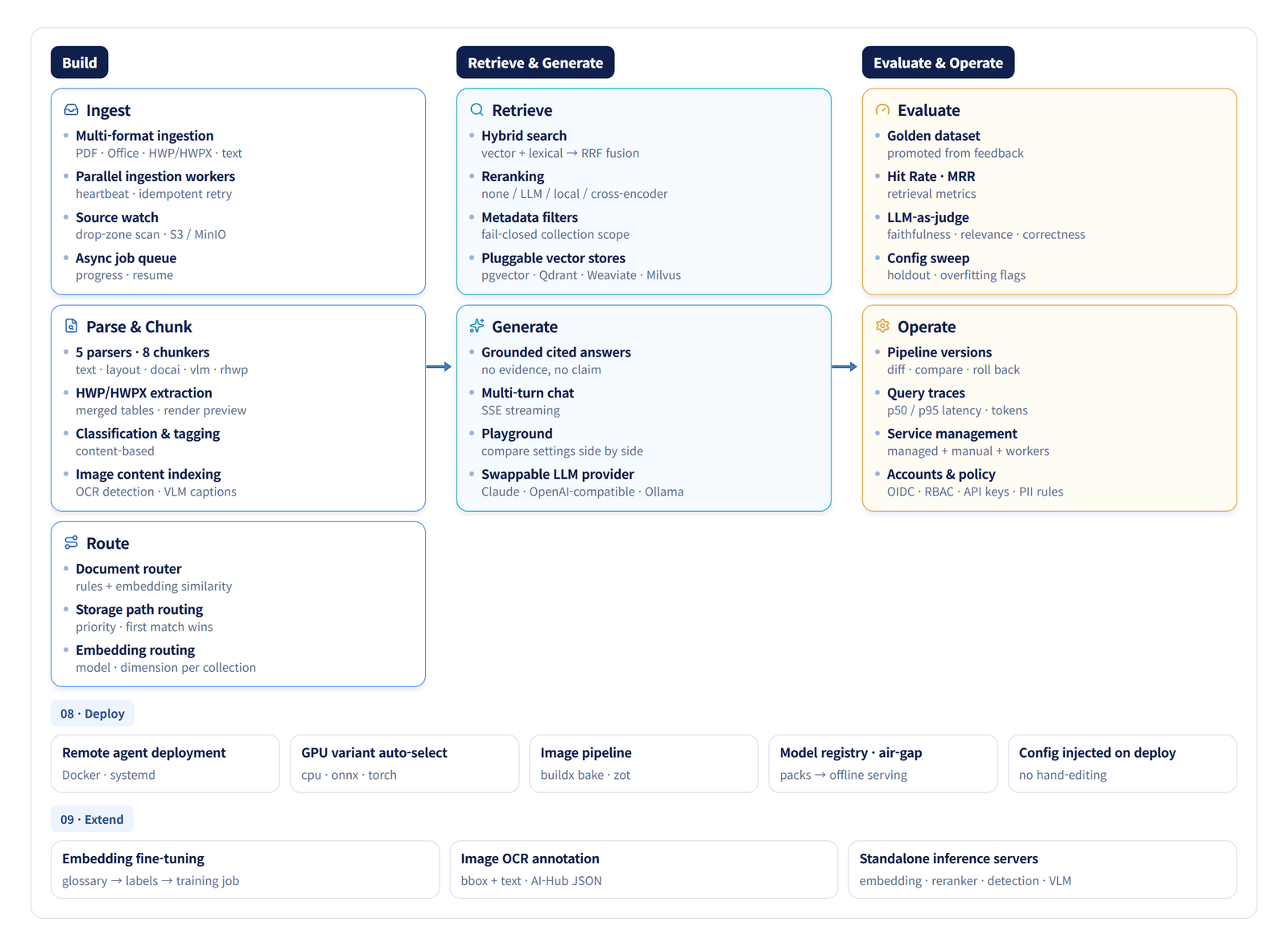
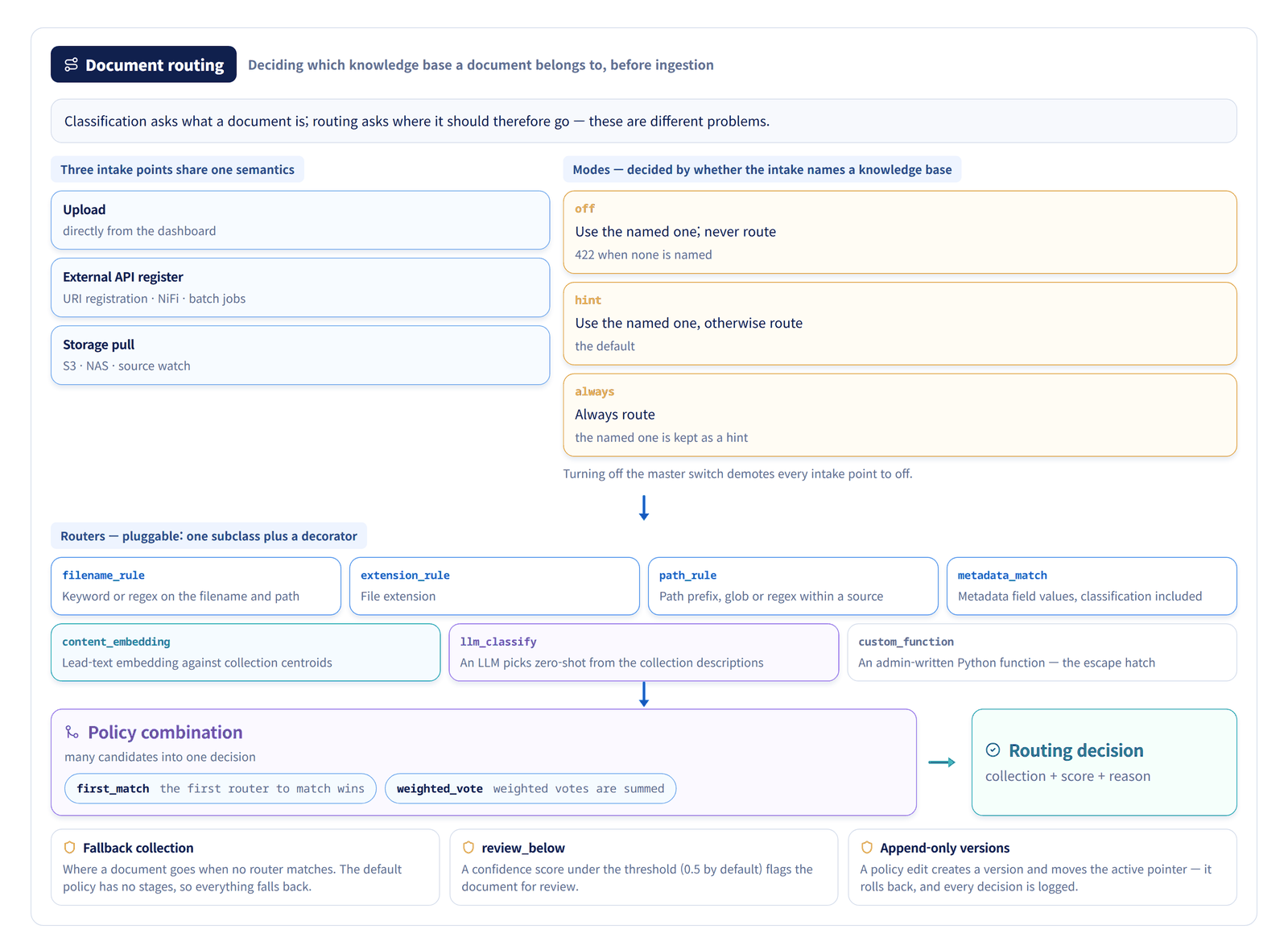
02 · Prepare documents for search
Read documents, handle sensitive information, and turn the content into searchable passages and vectors.
Build
Bring in documents, select a knowledge base, then parse, chunk and index
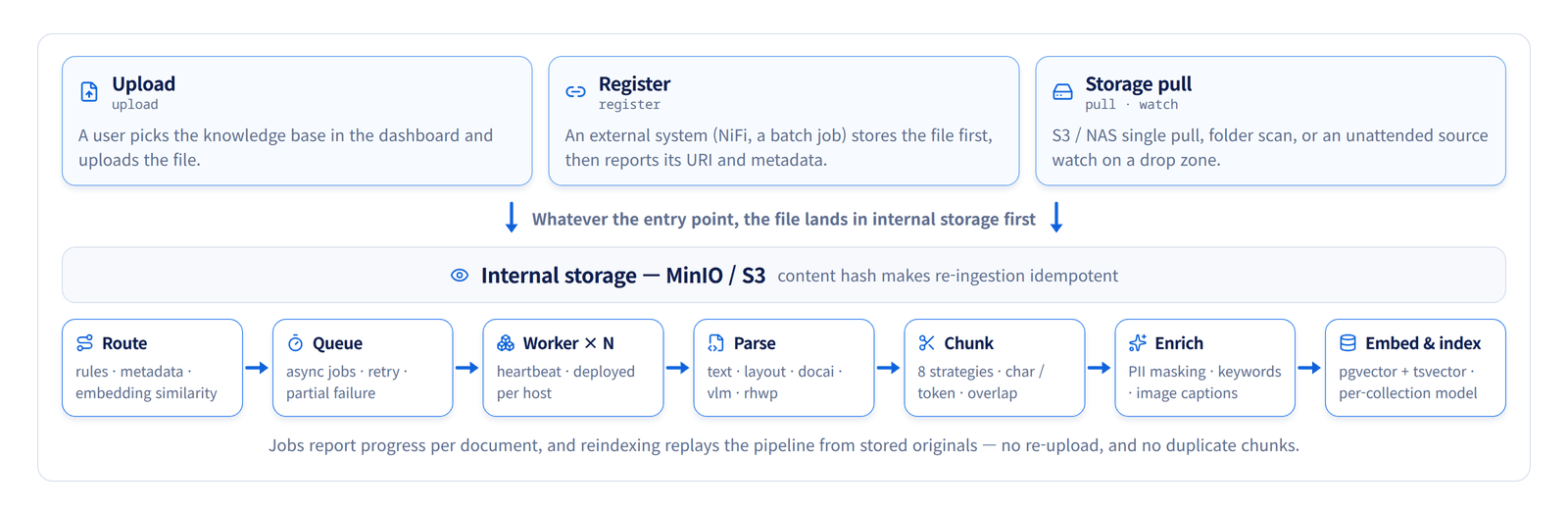
Document routing
Routing selects a knowledge base for a document before ingestion. Configure a policy using filename, path, metadata, embedding similarity or LLM judgement, then record the destination and the reason for the decision.
Document parsing
Parsing extracts usable text and structure from a file. Choose a parser suited to the file type and document layout, then compare the extracted Markdown tables, headings and reading order with the original.
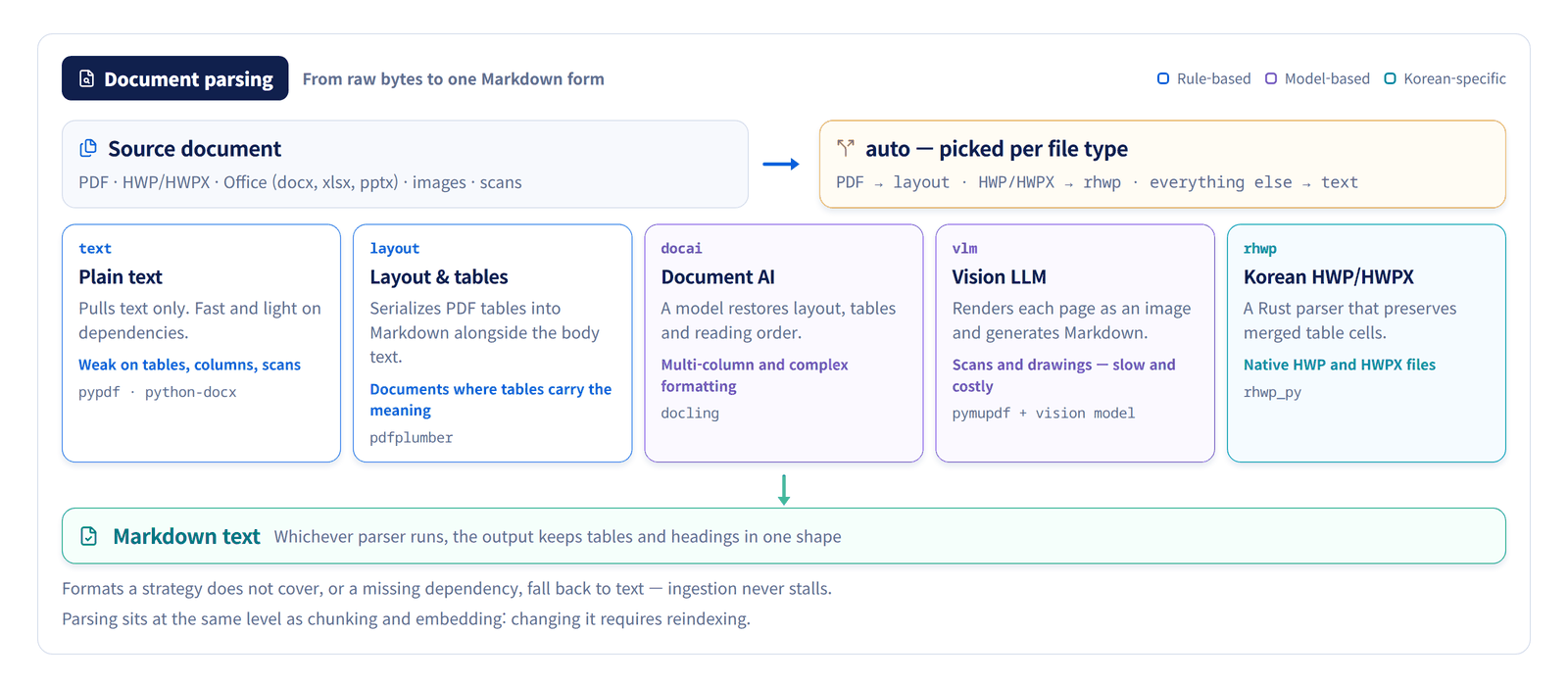
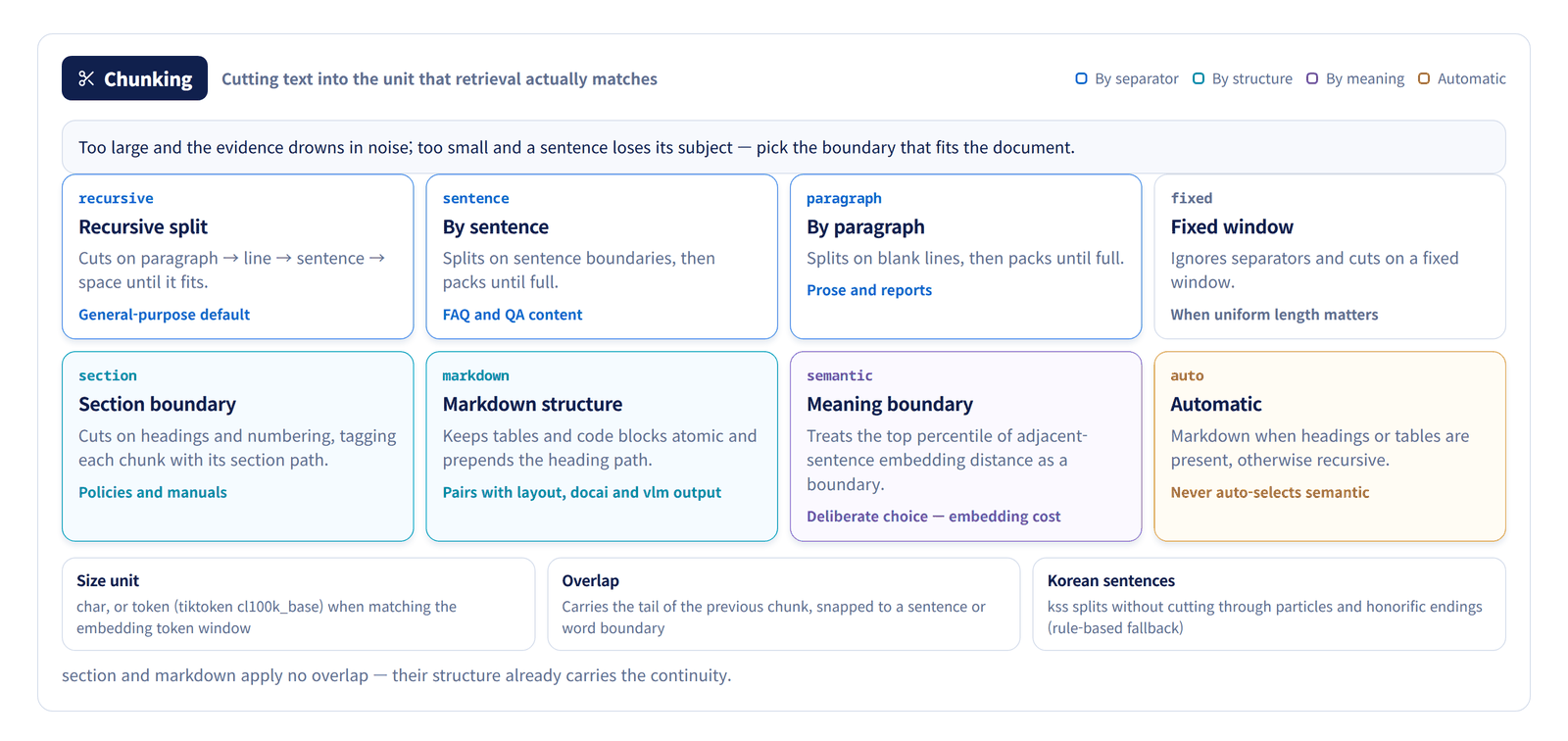
A pipeline for Korean documents
Choose processing paths for HWP/HWPX tables, scanned PDFs, multi-column layouts and Korean sentence boundaries. Compare extracted content with the original and review document revisions and image labels before using them in retrieval.
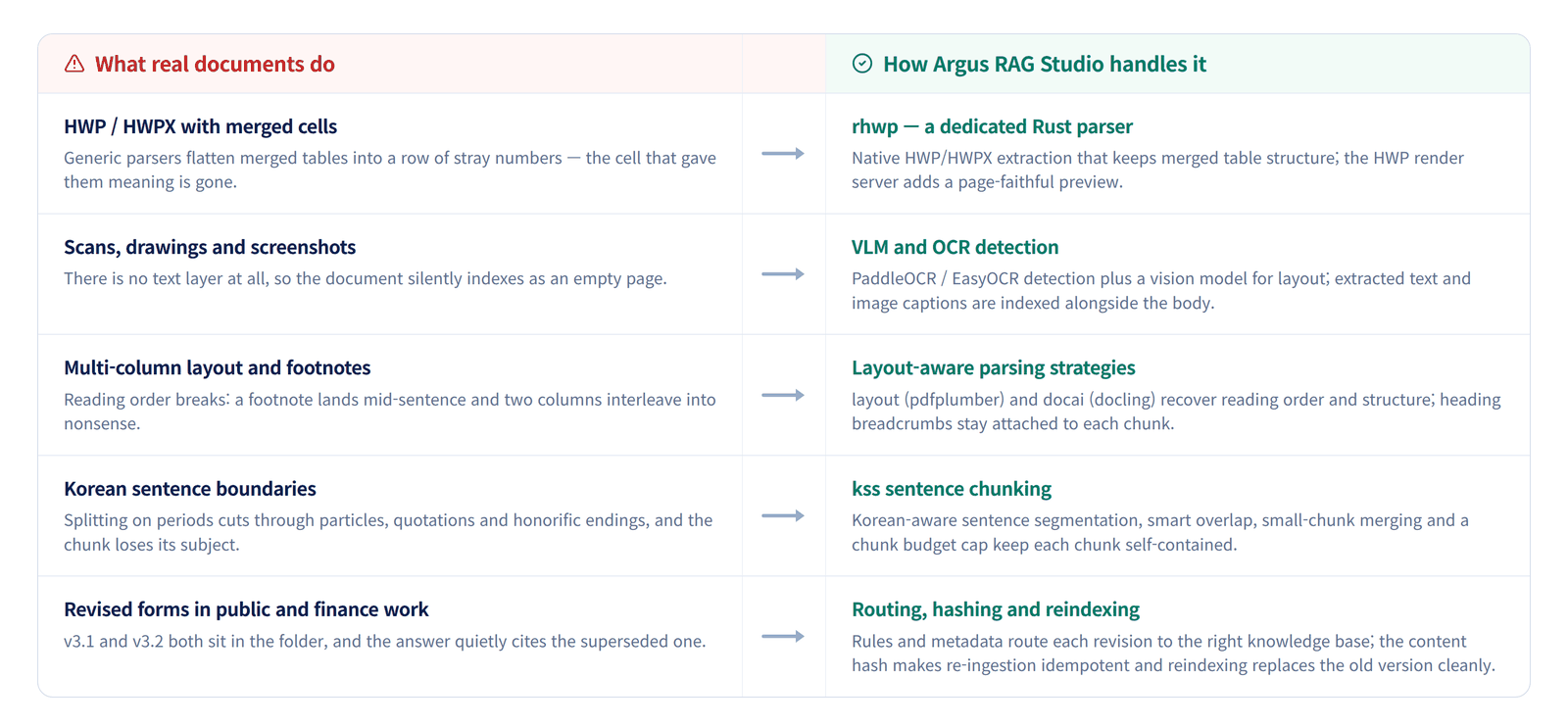
PII masking
PII is personally identifiable information. When enabled, transforms mask text matching configured rules after parsing and before chunking and embedding. Check for missed detections and manage original-file storage and access separately.
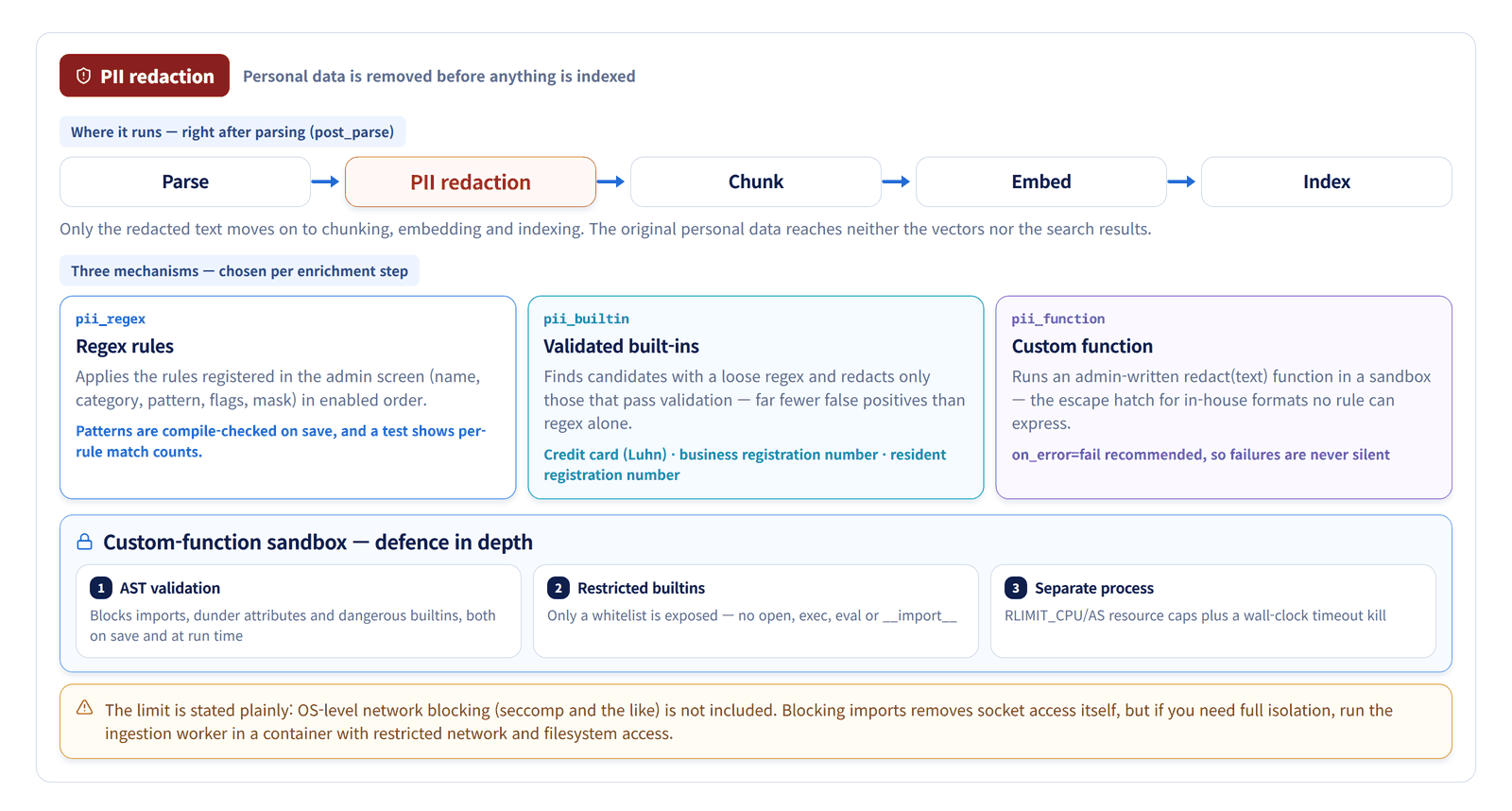
Chunking
Chunking divides a document into retrievable passages. Large chunks can mix unrelated content; small chunks can lose needed context. Choose boundaries, size and overlap for the document, then check the retrieval results.
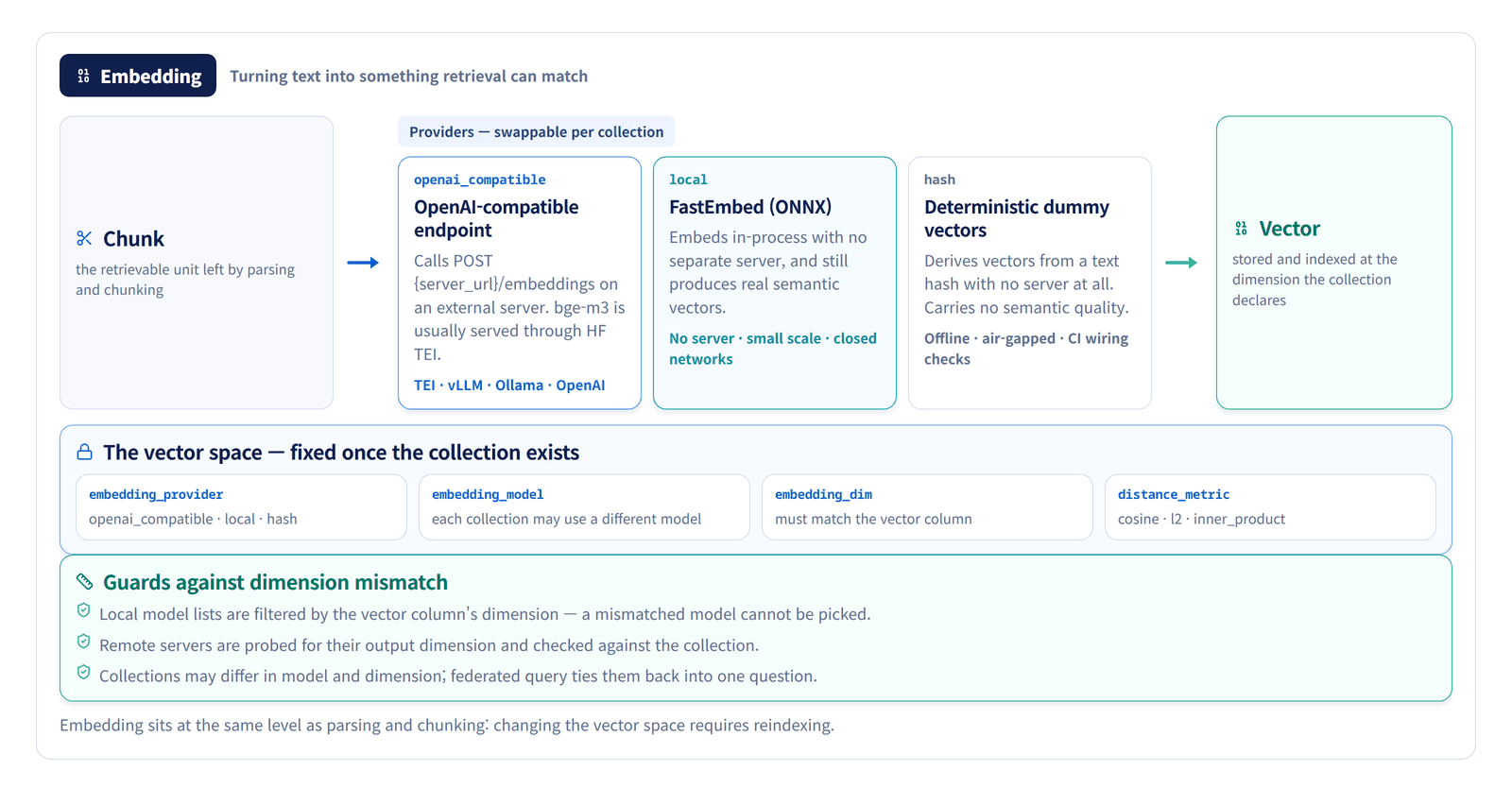
Embedding — into vectors retrieval can match
The embedding settings define a collection's vector space. Provider, model, dimension and distance metric are fixed when the collection is created, and changing them later means reindexing. On closed networks or in CI, the wiring can be verified with no embedding server at all.
03 · Find evidence and generate answers
Find relevant evidence in the prepared documents, rank it, and use it to generate answers with citations.
Retrieve & Generate
Find relevant evidence and generate an answer with citations
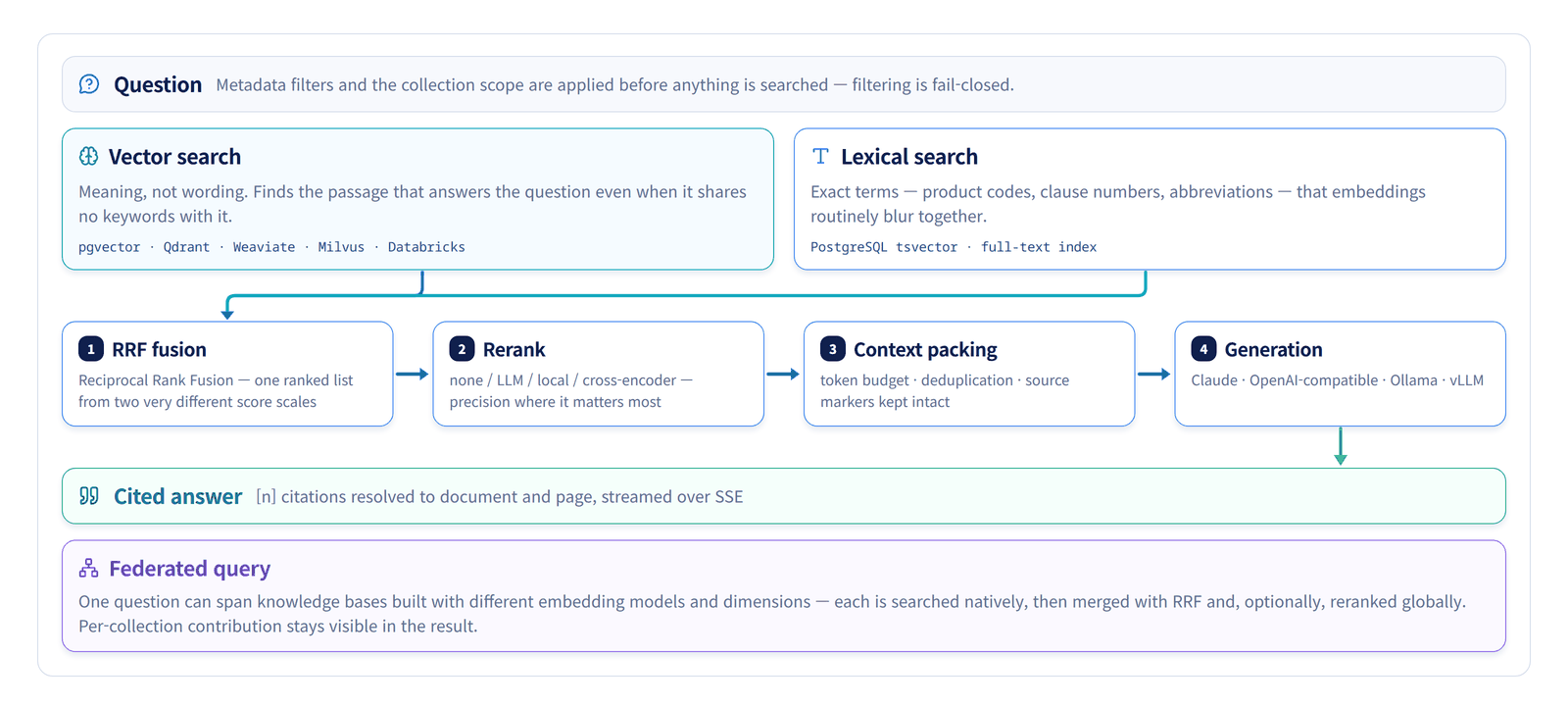
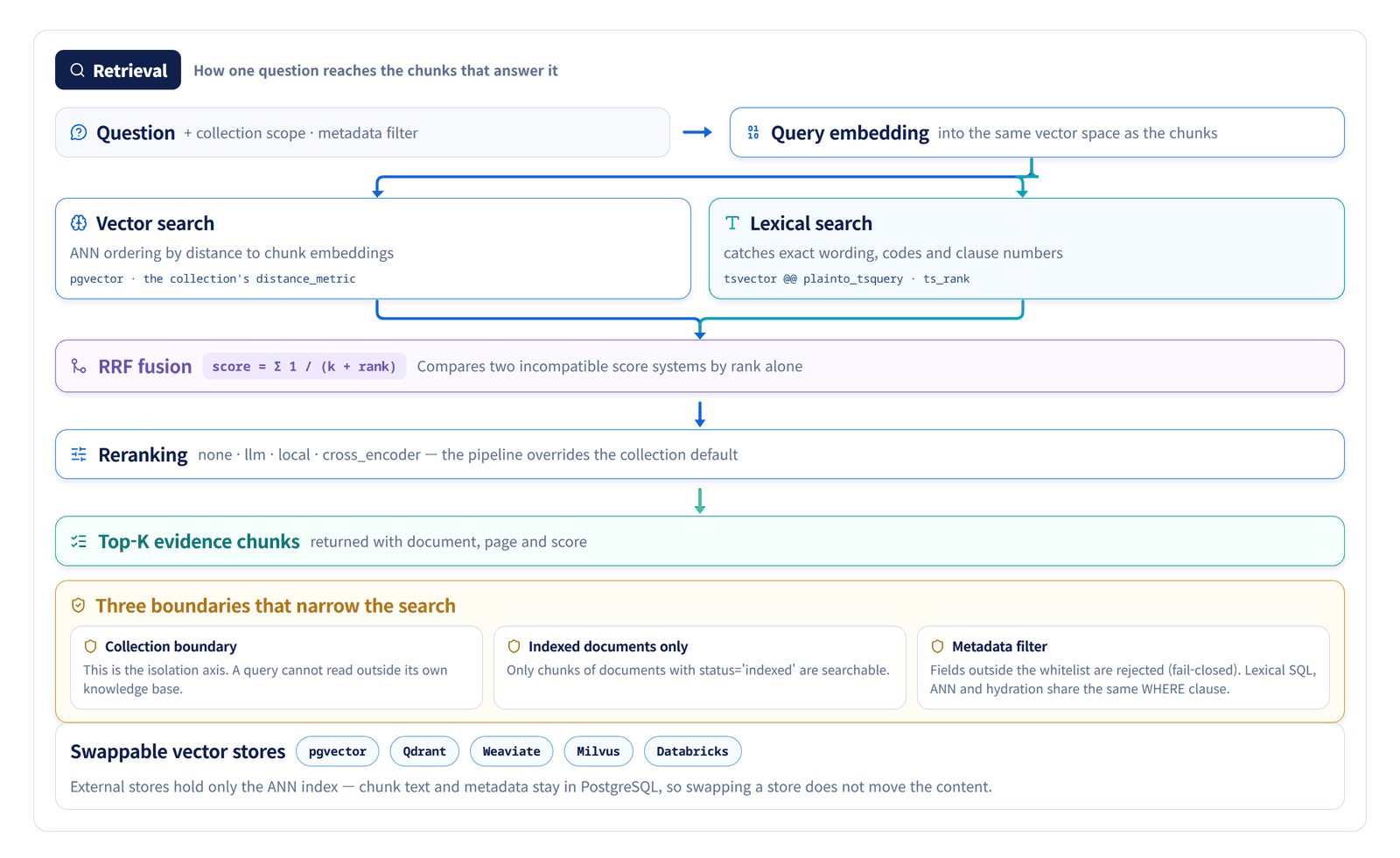
Retrieval — how the evidence is found
The question feeds vector and lexical search, and RRF combines their rankings. Collection scope and metadata filters narrow the results; PostgreSQL supplies the canonical chunk text and metadata.
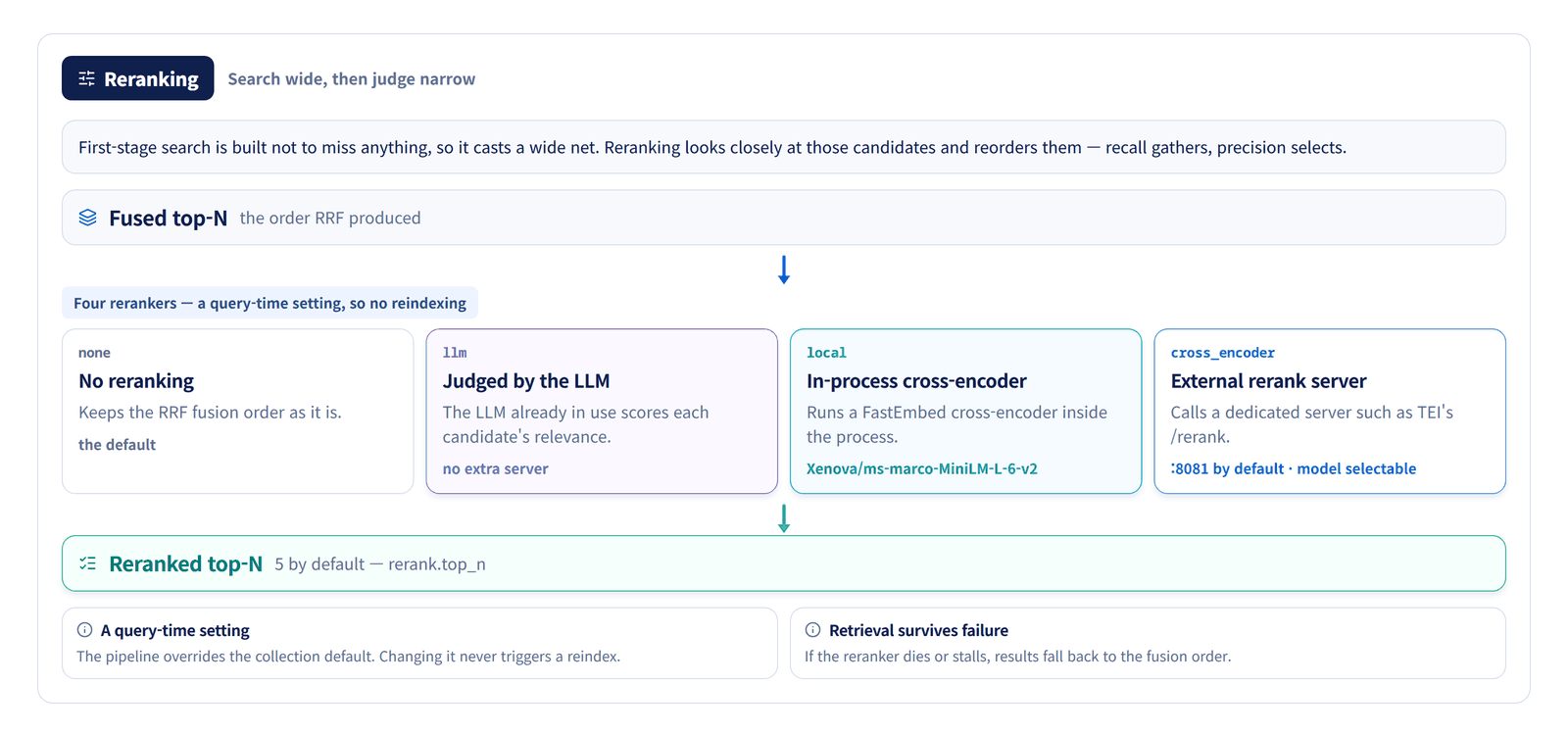
Reranking — search wide, select narrow
Reranking reassesses retrieved candidates against the question and changes their order. It cannot recover missing candidates, and changing its settings does not require reindexing.
From internal documents to cited responses
Separate document indexing from question handling, then provide retrieved evidence as generation context.
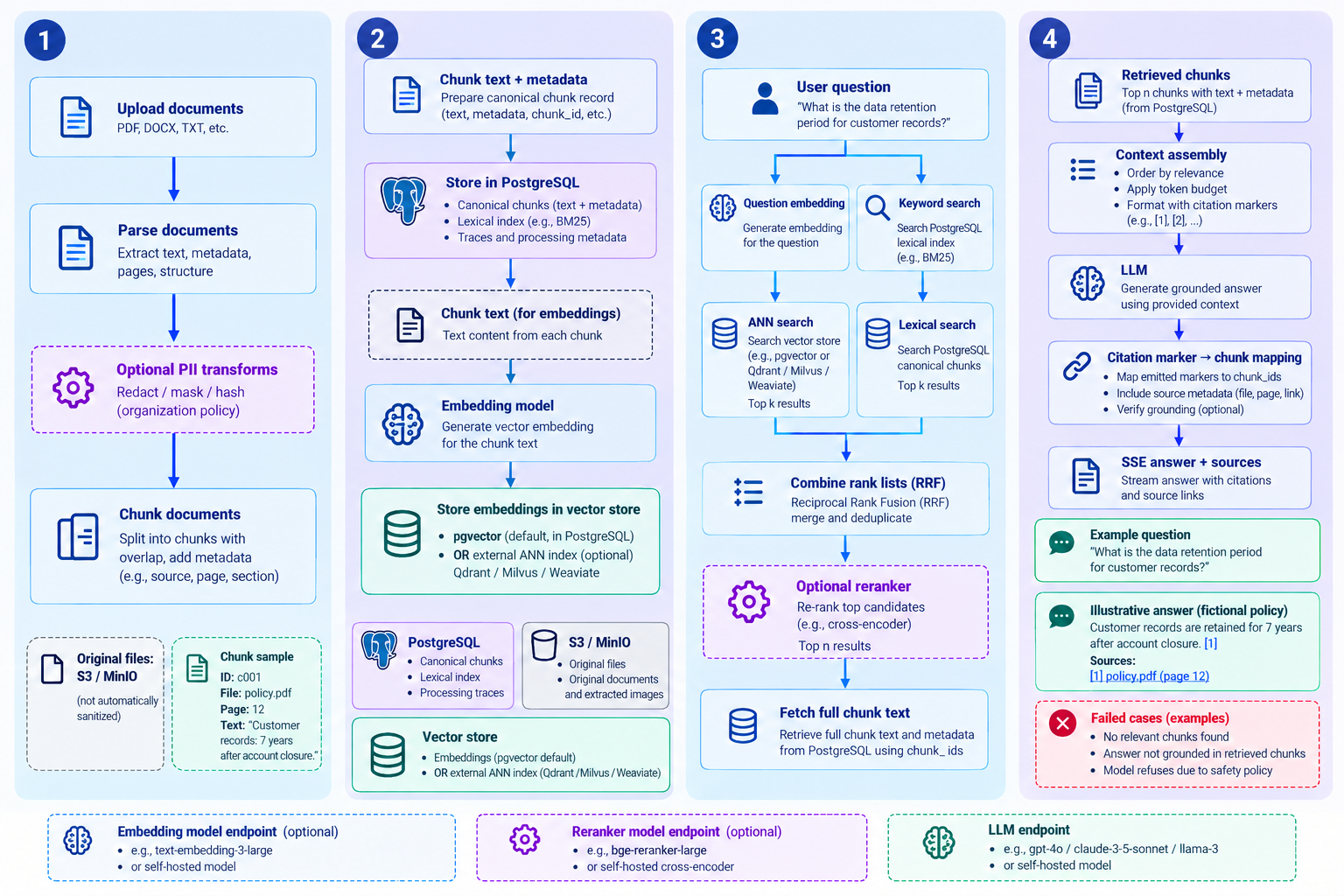
- 1.Prepare documents
- Route to a collection, parse the document and apply enabled PII transforms.
- 2.Build the index
- Store chunks, metadata and vectors while keeping original documents in object storage.
- 3.Retrieve evidence
- Fuse vector and lexical search ranks with RRF, then rerank when configured.
- 4.Generate with citations
- Pass retrieved passages to the model and map citation markers in streamed answers to chunks.
PII transforms and external inference servers are optional. Citation markers map to retrieved chunks; this does not guarantee the accuracy of every answer sentence.
View GitHub documentation and code04 · Evaluate and improve quality
Check retrieval and answer quality, compare configurations, and promote a validated version to production.
Evaluation — quality as a number
Retrieval is scored without an LLM through Hit Rate and MRR; answers are scored by an LLM judge on faithfulness, relevance and correctness. Configuration sweeps split the search space by whether reindexing is needed, and a holdout split with an overfit flag validates the winner.
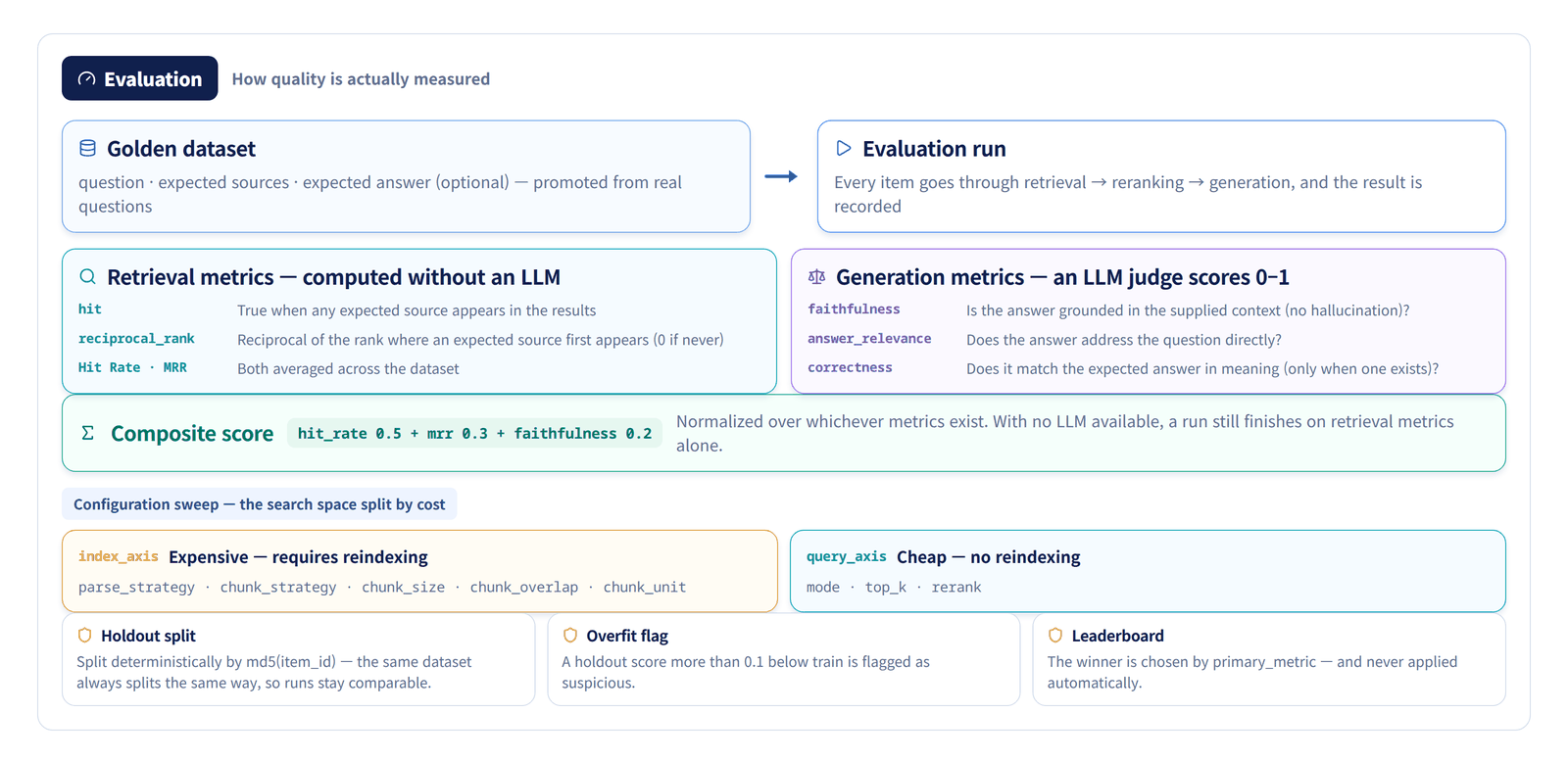
Evaluate & Operate
Evaluate quality and manage settings, runtime versions and operational status
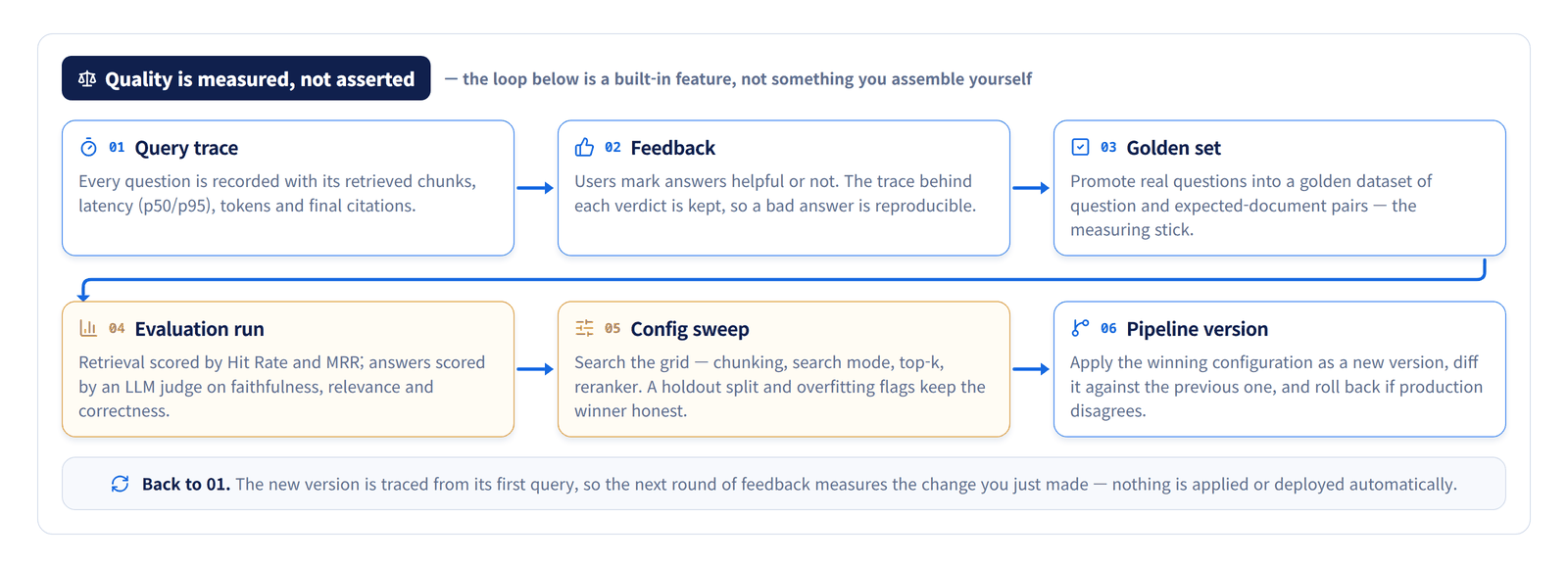
Turn evaluation results into operating settings
Measure quality on golden datasets, compare configurations, then manage pipeline versions and service deployment.
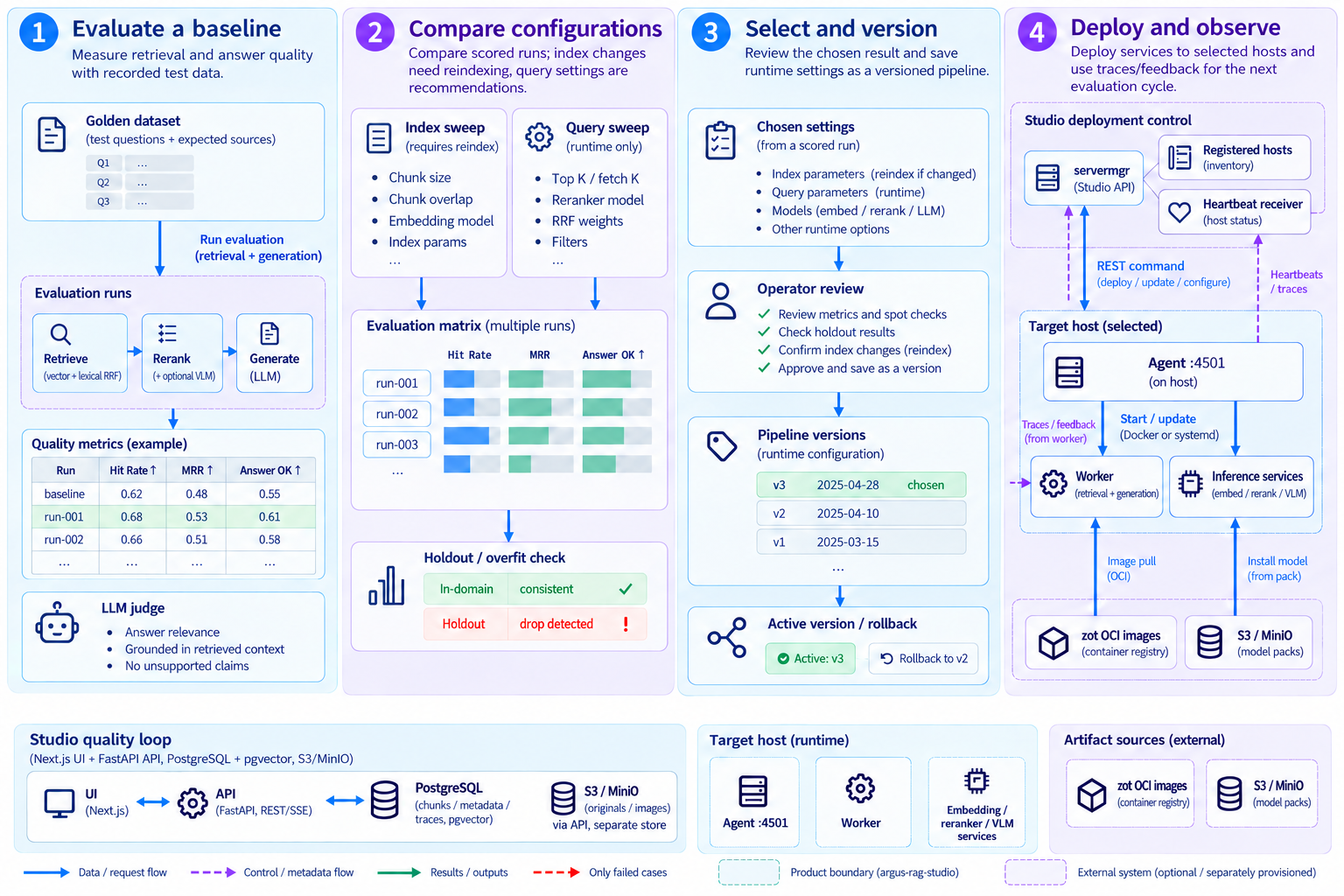
- 1.Evaluate a baseline
- Record Hit Rate, MRR and LLM judge metrics using golden questions.
- 2.Compare configurations
- Review index/query sweep results, holdout scores and overfitting flags.
- 3.Select and version
- Review and apply chosen settings, then save runtime settings as a pipeline version.
- 4.Deploy and observe
- Deploy workers and inference services through host agents; feed traces and feedback into the next evaluation.
Sweeps compare configurations within the selected search space. Index changes may require reindexing; applying recommended query settings and deploying services are separate actions.
View GitHub documentation and code05 · Understand the system
See how services and storage divide the document processing, retrieval, and evaluation work introduced above.
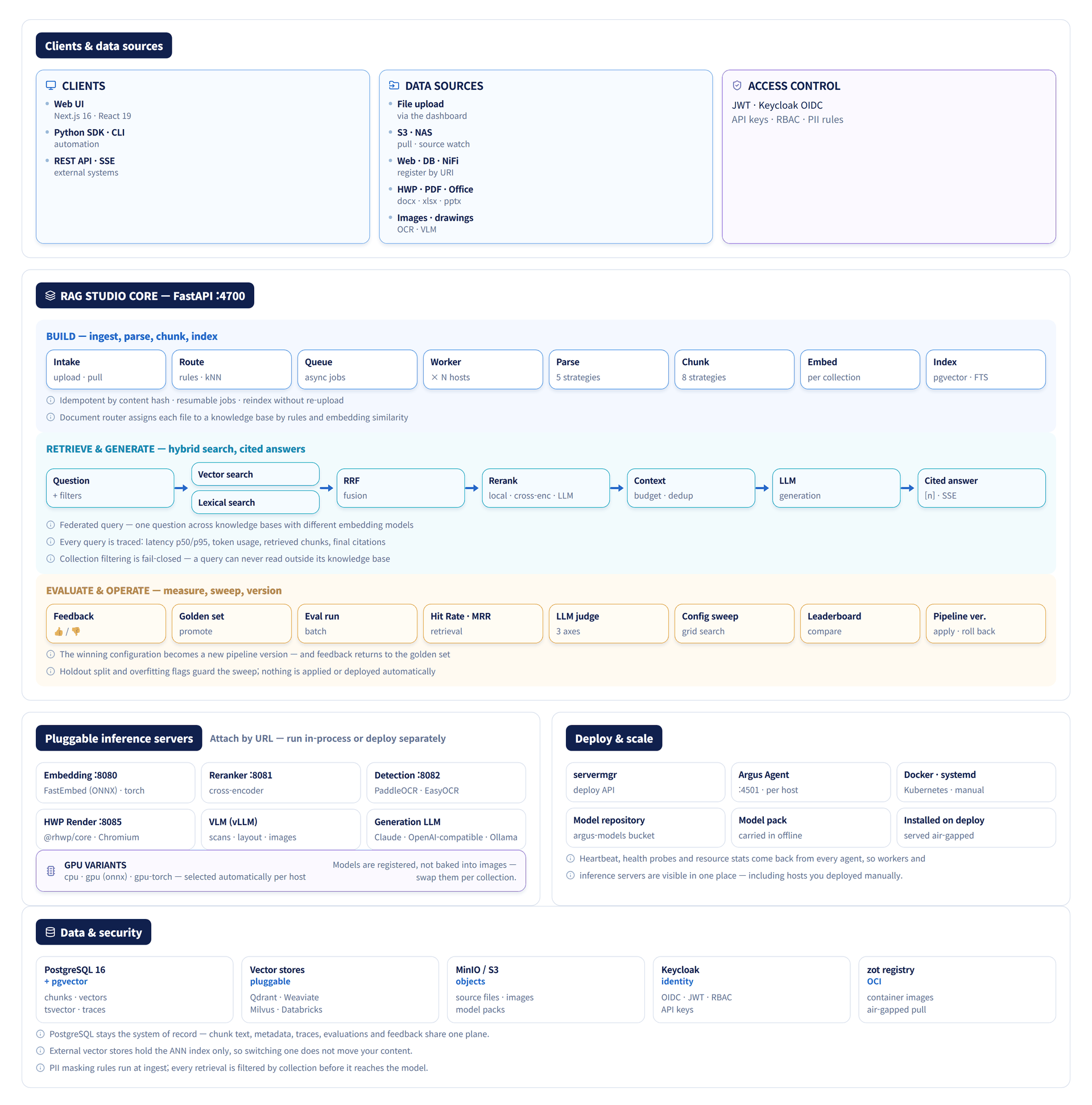
Concept diagram
The API and workers connect document preparation with question processing. PostgreSQL stores chunks and operational data, S3/MinIO stores originals and images, and inference services and host agents support processing and deployment.
06 · Deploy and extend operations
With the core flow in place, explore air-gapped environments, agents, integrations, and operational features.
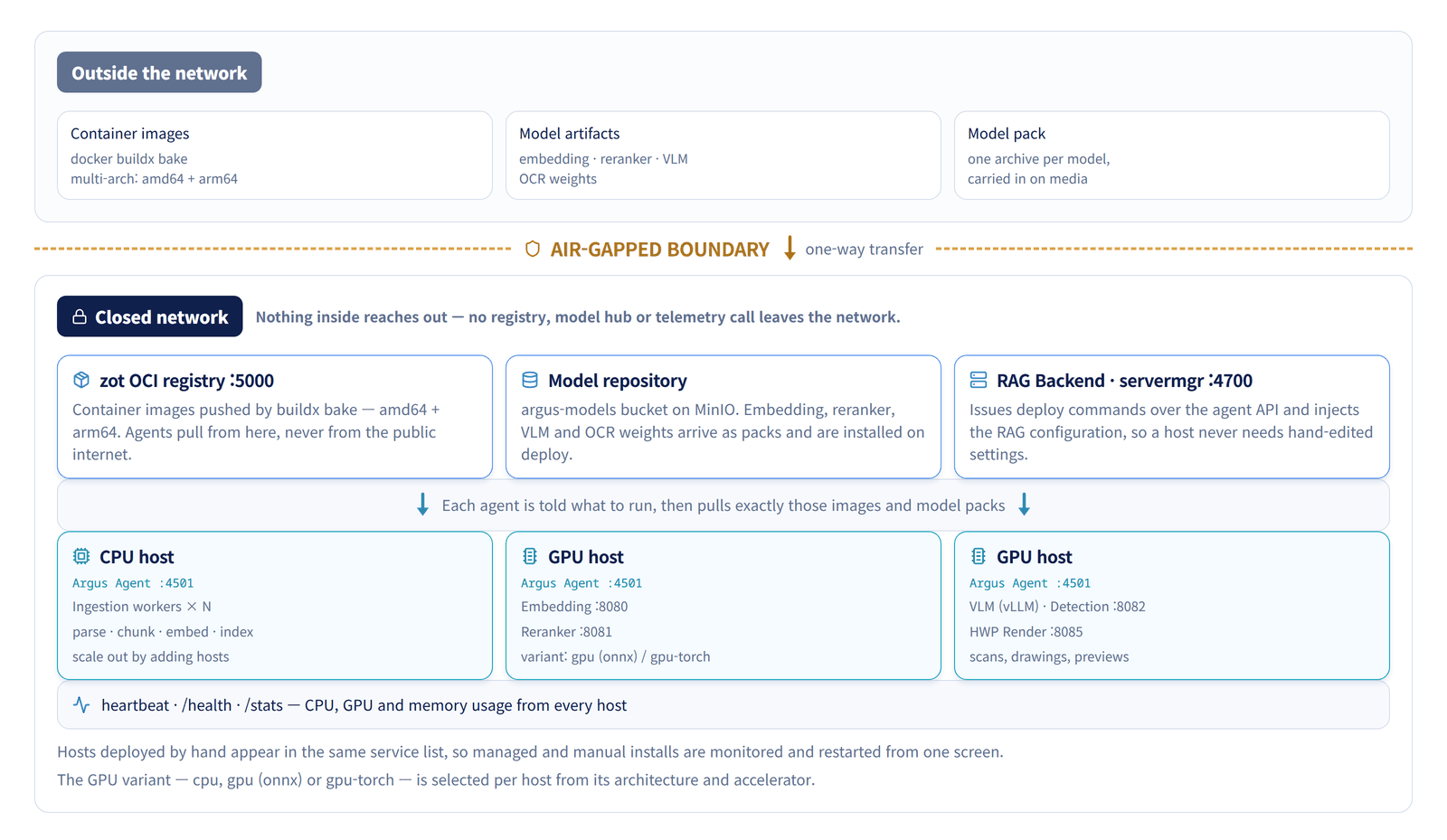
Deployment in an air-gapped network
Import container images and model packs separately, then deploy workers and inference services through each host’s Argus Agent. Offline operation requires internal registries, model storage and local endpoints.
Improve quality and operate in closed networks
Connect evaluation, retrieval training, host agents and image review to the existing RAG pipeline.
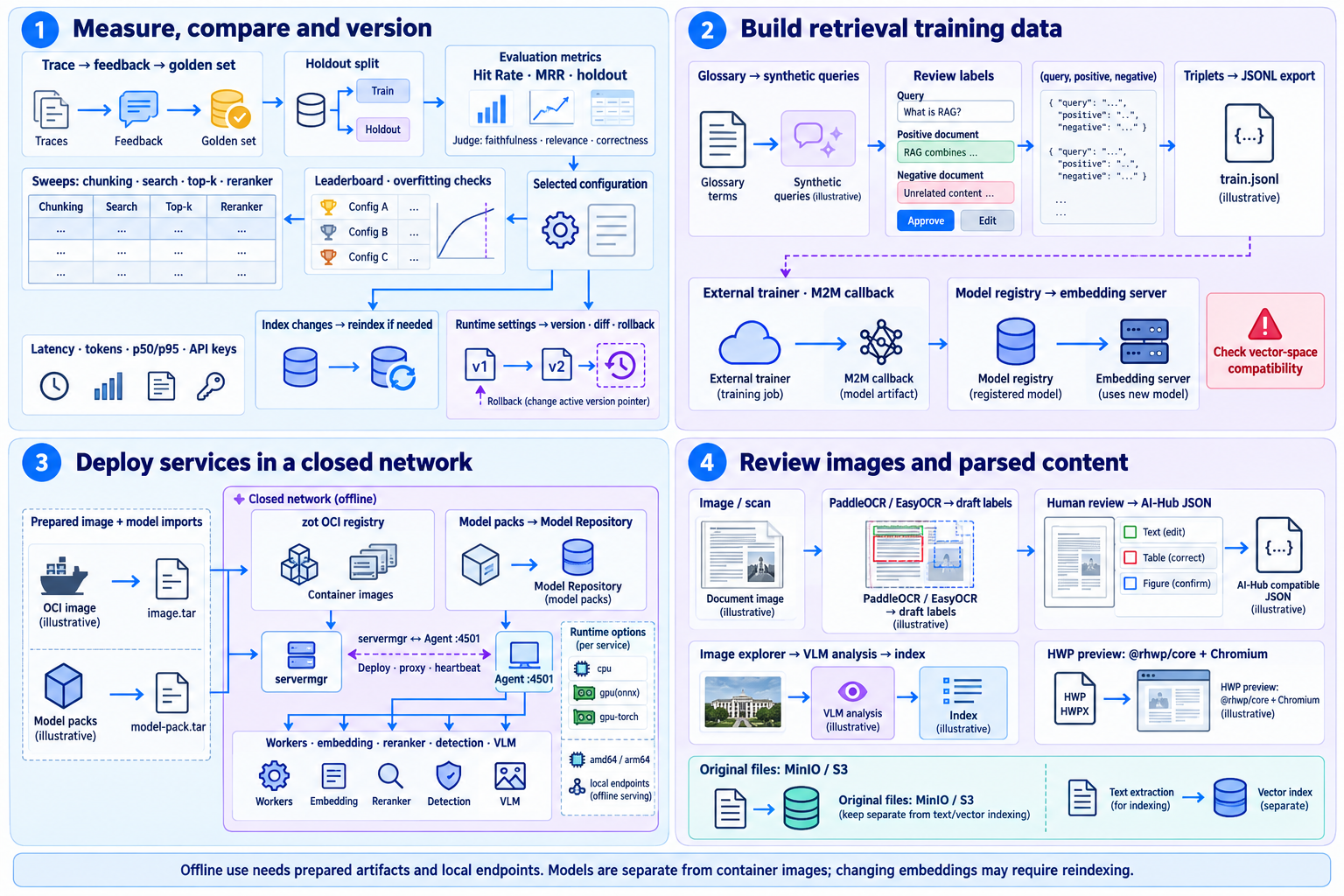
- 1.Evaluation and versions
- Compare holdout metrics, apply index changes and version runtime settings.
- 2.Retrieval training
- Review synthetic triplets and use external training and model registration.
- 3.Closed-network deployment
- Import images and models separately and deploy services through host agents.
- 4.Image workflows
- Review OCR annotations, inspect images and index VLM-derived content.
Offline use needs prepared artifacts and local endpoints. Models are separate from container images; changing embeddings may require reindexing.
View GitHub documentation and codeAn open-source RAG platform
Argus RAG Studio is published on GitHub under the Apache License 2.0. The entire RAG engine — backend (FastAPI), frontend (Next.js), and the standalone embedding/reranker servers — is open, so enterprises can verify the code directly, extend it to fit their environment, and operate it without sending data outside.
- Apache 2.0 with no commercial-use restrictions
- Verify and extend the code yourself
- Self-host in air-gapped / on-premises